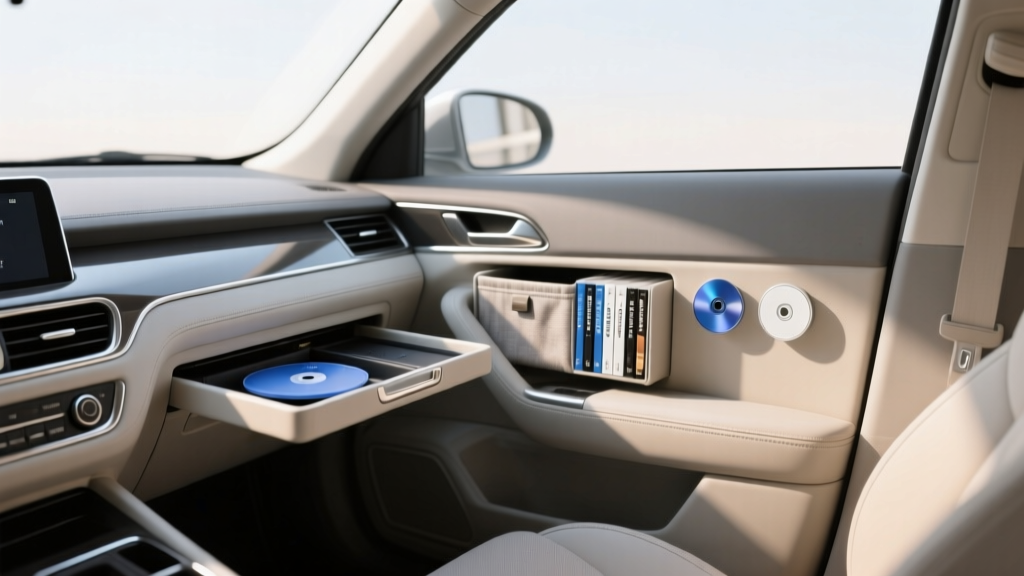
Budget-Friendly Blu-Ray Storage Options - CarInteriorMix
If you?re the kind of car owner who keeps a well-curated collection?music, movies, road trip favorites?Blu-Ray discs still make a lot of sense. They don?t rely on spotty cell service, they offer consistent quality, and they?re a great backup when your streaming apps decide to log you out at the worst time. The problem is storage: Blu-Ray cases are bulky, discs can warp in heat, and a messy stack sliding around the cabin is one sudden stop away from scratches.
Smart Blu-Ray storage is a car interior topic more than people realize. The right setup keeps your cabin tidy, protects your media from temperature swings, and prevents those ?where did that disc go?? moments when you?re parked at a rest stop and everyone wants a movie. Better still, you don?t need a premium organizer to do it?there are plenty of budget-friendly Blu-Ray storage options that look clean and work well.
This guide breaks down practical, affordable ways to store Blu-Ray discs in and around your vehicle, including what works best for daily drivers, family SUVs, and road trip rigs. You?ll also get step-by-step setup tips, common mistakes to avoid, and product-style comparisons so you can choose a solution that matches your car interior and your habits.
What Makes Blu-Ray Storage ?Car-Friendly? (and Why Blu-Ray Needs Special Care)
Blu-Ray discs are durable, but they?re not invincible?especially in a vehicle. A glovebox that hits 130�F in summer or a trunk that sees big temperature swings can shorten the life of discs and labels over time. Add dust, accidental bending, and sliding friction, and you?ll start seeing playback issues when you least want them.
Key threats inside a vehicle
- Heat and sunlight: Prolonged high temps can warp plastics and weaken adhesives on labels.
- Scratches from movement: Loose discs or cracked cases cause micro-scratches that lead to skipping.
- Moisture: Condensation can sneak into consoles or door pockets during seasonal changes.
- Clutter and distraction: Searching for a disc while driving is a safety hazard.
What a good budget storage solution should do
- Hold discs snugly without bending them
- Keep discs in sleeves or cases so the recording surface doesn?t rub
- Fit your cabin layout (glovebox, console, seatback, trunk organizer)
- Make it easy to label and find discs quickly
- Stay stable?no sliding around on corners or during braking
Budget-Friendly Blu-Ray Storage Options (What Works Best in Real Cars)
Below are the most practical low-cost storage styles for vehicles, along with where they fit best in a car interior. Prices vary by brand, but all of these categories are typically affordable and widely available.
1) Soft Disc Wallets (Sleeve Binders)
Best for: Families, road trips, anyone with 20?200 discs
Why it?s budget-friendly: Stores lots of Blu-Ray discs in a compact footprint
Disc wallets are one of the easiest ways to reduce clutter. Instead of bulky plastic cases, you store the disc in a soft sleeve. The best wallets include a protective liner (often non-woven fabric) and a zipper closure to keep dust out.
- Typical capacity: 24, 48, 96, 128+ discs
- Where it fits: Under-seat storage bin, trunk organizer, behind the passenger seat
- What to look for: Non-scratch sleeves, reinforced spine, zipper, carry handle
Car interior tip: If you store the wallet in the cabin, put it behind the front passenger seat so the driver doesn?t get tempted to reach for it while moving.
2) Slim Blu-Ray Cases (Replace the Bulky Originals)
Best for: People who want shelf-like organization but less bulk
Why it?s budget-friendly: Buying a multi-pack of slim cases is inexpensive and lasts years
Slim cases preserve a ?real library? feel, especially if you like keeping cover art. They?re also more rigid than sleeves, which can help prevent accidental bending. If your vehicle has a trunk organizer with file-style slots, slim cases are a neat fit.
- Typical capacity: 1 disc per case (some hold 2)
- Where it fits: Trunk organizer, cargo side pocket, RV cabinets
- What to look for: Strong hinges, disc hub that grips well, clear outer sleeve for artwork
Real-world example: If you keep 15?20 road trip favorites, slim cases in a small trunk tote stay organized without the ?binder book? look.
3) Seatback Organizers with Zippered Media Pockets
Best for: SUVs/minivans with rear passengers
Why it?s budget-friendly: One organizer adds storage for discs plus chargers, wipes, and snacks
Some seatback organizers include zip compartments sized for disc wallets or slim cases. This is a great solution if you already use a seatback organizer for car interior storage and want one central place for entertainment.
- Where it fits: Back of the front passenger seat (ideal), sometimes driver seat (less ideal)
- What to look for: Tight straps, reinforced stitching, closed pockets (not open mesh)
Safety note: Avoid hard plastic disc cases in open pockets where they can become projectiles in a sudden stop. Closed, zippered storage is safer.
4) Glovebox or Center Console Disc Caddies (Small Capacity, High Convenience)
Best for: Daily drivers who carry 4?12 discs max
Why it?s budget-friendly: Minimal cost, no big reorganization required
Compact caddies keep a handful of discs ready without taking over your interior. They work best when your glovebox isn?t already overloaded with manuals, registration docs, and napkins.
- Where it fits: Glovebox, center console, door pocket (not recommended for heat exposure)
- What to look for: Rigid divider, soft lining, secure closure
Practical tip: Keep your ?rotation? selection here?just the discs you actually use weekly?while the larger collection stays in a trunk wallet or at home.
5) DIY Budget Options (That Still Look Clean)
Best for: Enthusiasts who love organizing on a budget
You don?t have to buy a specialized product. A few low-cost items can create a tidy Blu-Ray storage system that matches your car interior style.
- Small zippered tool pouch + soft sleeves: Great for 10?20 discs; toss into a trunk bin.
- Document accordion folder: Works for slim cases or paper sleeves; label each slot by genre.
- Velcro strips + a small tote: Secure a disc wallet tote to the trunk side panel so it doesn?t slide.
DIY style tip: Choose black or charcoal organizers to blend with most interiors and look ?factory,? not makeshift.
Quick Comparison: Which Storage Type Fits Your Car and Your Habits?
- Disc wallet (zip binder): Best overall value per disc; great for road trips; fastest way to de-clutter.
- Slim cases: Best for people who want cover art and structured organization; slightly bulkier than wallets.
- Seatback organizer: Best for rear-seat passengers; doubles as a general car interior organizer.
- Glovebox/console caddy: Best for a small ?grab-and-go? selection; limited capacity.
- DIY pouch/folder system: Best for custom setups and tight budgets; quality depends on materials.
Step-by-Step: Set Up a Budget Blu-Ray Storage System in Your Car
This setup keeps your cabin neat, protects discs, and makes it easy to find what you want without rummaging.
Step 1: Decide on your ?carry limit?
For most drivers, carrying everything isn?t necessary (and it increases heat exposure). Pick a realistic number:
- Daily driver: 4?8 discs
- Weekend trips: 10?20 discs
- Family road trip kit: 30?80 discs
Step 2: Choose a primary storage location
- Cabin (cooler, easier access): Under-seat bin, behind passenger seat, center console
- Trunk/cargo area (more space): Trunk organizer, cargo net area, side pocket
Best practice: Store most discs in the cargo area and keep only a small rotating selection up front.
Step 3: Pick the storage type that matches your location
- Under-seat: Disc wallet or slim wallet case
- Seatback: Seatback organizer with a zip pocket
- Trunk organizer: Disc wallet or slim cases in a small tote
- Glovebox: Small caddy (avoid cramming)
Step 4: Label for speed (and less distraction)
Fast finding means you?re not digging around while the car is running. Use one of these simple systems:
- Numbered sleeves + a notes list: Sleeve #12 = Movie Title; keep the list on your phone.
- Genre tabs: Action, Kids, Comedy, Documentary, Concerts.
- Color dots: One color per family member or category.
Step 5: Secure the storage so it doesn?t slide
- Use a trunk organizer with non-slip bottom
- Add adhesive-backed hook-and-loop strips to the bottom of a disc wallet (cargo carpet only)
- Use a cargo net to keep the wallet from shifting on corners
Step 6: Protect discs from heat when possible
- Don?t leave discs in direct sunlight on a seat or dash
- Move the wallet indoors during extreme heat waves
- Choose cabin storage over trunk storage if your trunk gets especially hot
Product-Style Recommendations (Budget Picks by Use Case)
Rather than focusing on specific brand names (which change frequently), these are the ?buying targets? that consistently perform well for car owners looking for affordable Blu-Ray storage.
Best budget pick for most drivers: Zippered disc wallet (48?96 capacity)
- Why it works: Big capacity, compact, easy to stash under a seat or in a trunk organizer
- Look for: Soft inner sleeves, strong zipper, labeled index page
- Avoid: Ultra-thin sleeves that feel rough or crinkly (higher scratch risk)
Best for a clean, ?OEM? look: Slim Blu-Ray cases multi-pack + small trunk tote
- Why it works: Structured storage and easy labeling; looks tidy when stacked
- Look for: Durable hubs and consistent case thickness
- Avoid: Cheap hubs that crack?those can scuff the disc when you remove it
Best for kids and back-seat passengers: Seatback organizer with closed compartments
- Why it works: Keeps entertainment tools together (discs, headphones, remotes, wipes)
- Look for: Zippered pockets and tight straps to prevent sagging
- Avoid: Open-top pockets that let cases fall out when the seat moves
Common Mistakes to Avoid
- Storing bare discs without sleeves or cases: Even light rubbing creates micro-scratches over time.
- Leaving discs on seats or the dashboard: Heat and sunlight are the fastest way to damage media.
- Overstuffing the glovebox: Cases crack, discs pop loose, and you lose time digging for the right one.
- Using rough paper sleeves: Some paper sleeves can scuff the recording surface?choose soft-lined sleeves.
- Letting storage slide around: Movement causes wear, noise, and occasional ?disc explosion? when a case opens.
- No labeling system: If you can?t find what you want in 10 seconds, your system will get ignored.
Practical Tips for Keeping Your Blu-Ray Collection Car-Ready
- Rotate seasonally: Keep holiday movies or summer road trip favorites in the car only when you?ll use them.
- Keep duplicates at home: If a disc is rare or sentimental, store it at home and carry a less risky alternative.
- Use a microfiber cloth in the same pouch: If a disc acts up, a gentle wipe (center-out) often fixes it.
- Pair storage with a power/AV kit: If your setup involves a portable player, store the charging cable and remote in the same organizer pocket.
FAQ: Budget-Friendly Blu-Ray Storage Options
What?s the safest way to store Blu-Ray discs in a hot car?
The safest approach is to limit how many discs stay in the vehicle and store them in a zippered disc wallet kept out of sunlight (under a seat or in a covered bin). During extreme heat, bring the wallet indoors?especially if the car sits outside all day.
Do disc wallets scratch Blu-Ray discs?
Quality wallets with soft, non-woven sleeves are generally safe. Problems usually come from very cheap wallets with rough liners or from sliding dusty discs in and out. Keep discs clean and choose sleeves that feel smooth to the touch.
Should I keep Blu-Rays in the trunk or the cabin?
The cabin is usually better for temperature stability and access. The trunk is fine if you use a sturdy organizer and your vehicle doesn?t get extreme cargo-area heat. If you notice your trunk gets significantly hotter than the cabin, store discs inside instead.
How many Blu-Ray discs should I carry for road trips?
For most families, 30?80 discs in a 48?96 capacity zip wallet is plenty. If you?re traveling with kids, mix short titles with longer favorites, and keep a few ?guaranteed winners? in an easy-to-reach pocket.
Are slim cases better than sleeves for cars?
Slim cases offer more rigid protection and keep artwork, but they take up more space and can crack if jammed into tight compartments. Sleeves (wallets) win on space and cost-per-disc; slim cases win on structure and presentation.
What?s a simple labeling system that works well in a car?
Numbered sleeves plus a list on your phone is fast and tidy. Example: write ?01?48? on the wallet index, then keep a note titled ?Car Blu-Rays? with each number and title. It?s quick to update and avoids bulky paper inserts.
Next Steps: Build a Setup You?ll Actually Use
Start small: pick a zippered disc wallet or a slim-case bundle, decide where it will live (under-seat, trunk organizer, or seatback), and label it so anyone in the car can find a movie quickly. Once it?s in place, do a quick ?shake test? in your driveway?if it slides, add a non-slip mat, hook-and-loop strips, or a cargo net until it stays put.
If you want more practical car interior organization ideas?seatback storage, trunk management, and clutter-free road trip setups?explore more guides on carinteriormix.com.